

 Learn more
How to Use ChatGPT to Write a Speech
 Crafting a unique and memorable speech that captures the attention of your audience is no easy feat, whether you’re delivering a keynote address, presenting at a conference, or giving a toast at a wedding. However, with the help of ChatGPT, a sophisticated language model, you can develop a speech that stands out and leaves a lasting impact on your audience.
In this article, you can create a speech that resonates with your audience, no matter what kind of event it may be. Whether you’re a seasoned public speaker or a newcomer, ChatGPT can assist you in delivering a compelling speech that captures the attention of your audience and leaves them inspired.
Crafting a unique and memorable speech that captures the attention of your audience is no easy feat, whether you’re delivering a keynote address, presenting at a conference, or giving a toast at a wedding. However, with the help of ChatGPT, a sophisticated language model, you can develop a speech that stands out and leaves a lasting impact on your audience.
In this article, you can create a speech that resonates with your audience, no matter what kind of event it may be. Whether you’re a seasoned public speaker or a newcomer, ChatGPT can assist you in delivering a compelling speech that captures the attention of your audience and leaves them inspired.
Step 1: Log in to ChatGPT
To get started, go to the ChatGPT and initiate a new chat with the chatbot. You will be presented with a prompt text bar where you’ll type in your prompt. ChatGPT: The Ultimate 24/7 AI-powered Resource Get Guidance, Insights, and Feedback Anytime - Try it here! Learn moreStep 2: Provide Details to ChatGPT
Before ChatGPT can help you write your speech, you need to provide it with some basic details. These include: Topic: Tell ChatGPT the topic of your speech, including any keywords or phrases you’d like to include. Audience: Describe your audience, including their demographics, interests, and knowledge level of the topic. Tone: Indicate the tone of your speech, such as formal, informal, persuasive, or informative. Length: Specify the desired length of your speech, either in minutes or word count.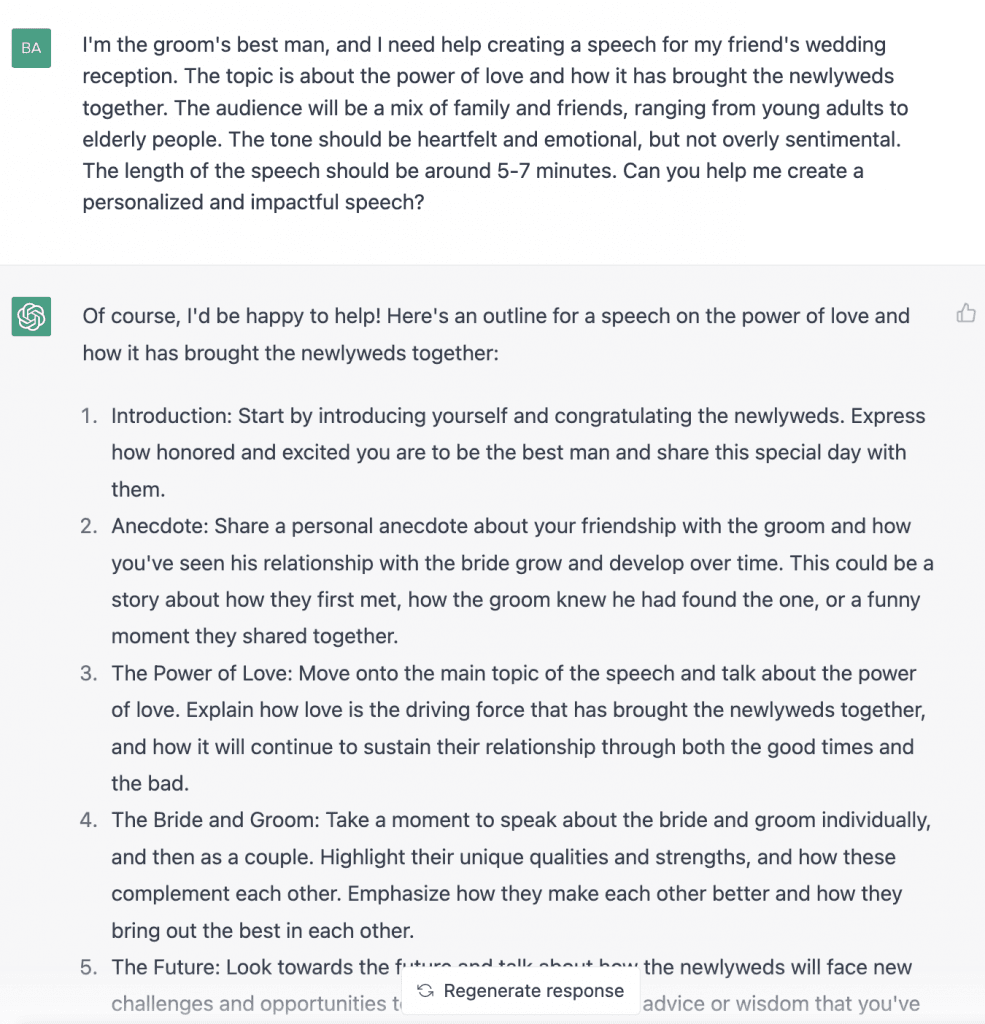
Step 3: Generating Topic Ideas
When struggling to come up with a topic for your speech, ChatGPT can offer assistance by generating topic ideas based on related keywords you provide. It’s essential to select a subject that you’re passionate about and can confidently speak on, and ChatGPT can provide a variety of options to inspire your creativity.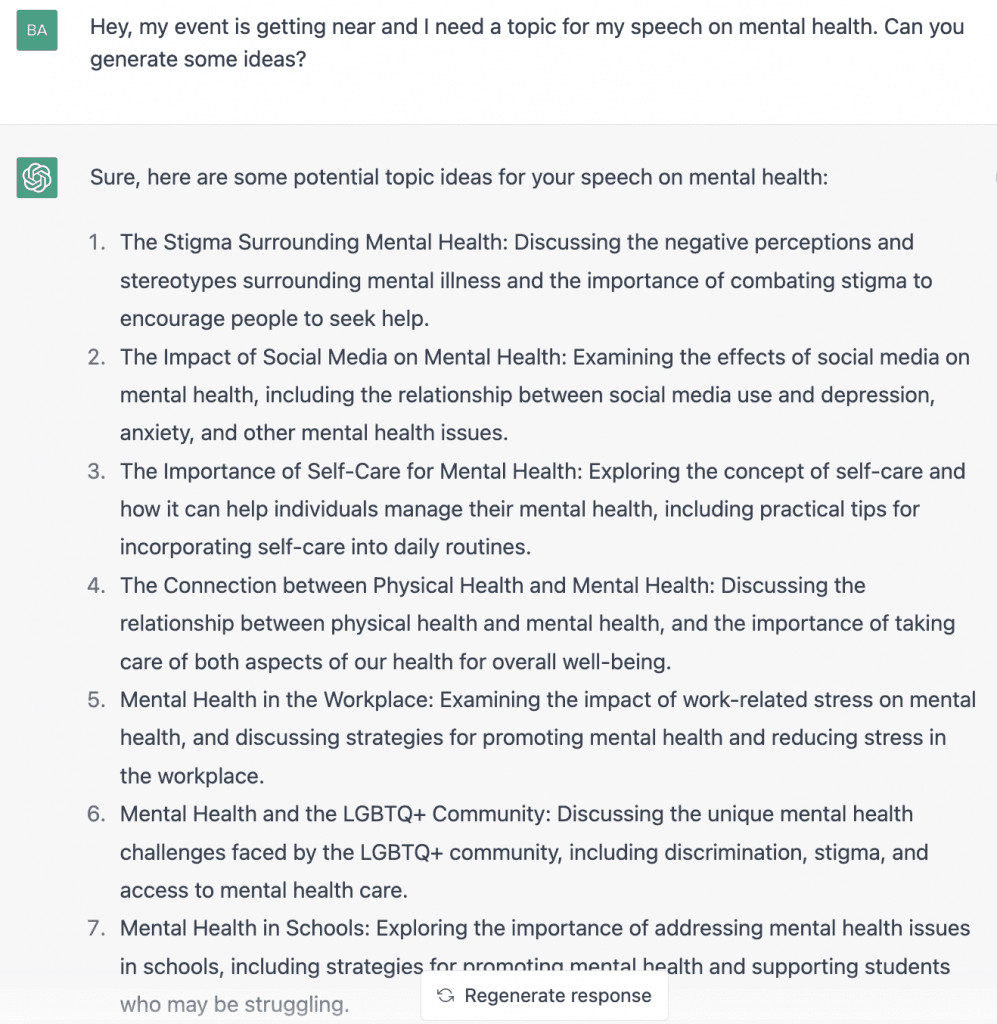 ChatGPT: The 24/7 AI-powered Writing Assistant. Say goodbye to writer's block and hello to winning content ideas - Try it now here!
Learn more
ChatGPT: The 24/7 AI-powered Writing Assistant. Say goodbye to writer's block and hello to winning content ideas - Try it now here!
Learn more
Step 5: Outline Your Speech
Once you’ve chosen a topic, ChatGPT can help you create an outline for your speech. This outline can include an introduction, thesis statement, supporting points, and conclusion. ChatGPT will use its expertise to provide a suggested outline that you can use as a starting point for your speech.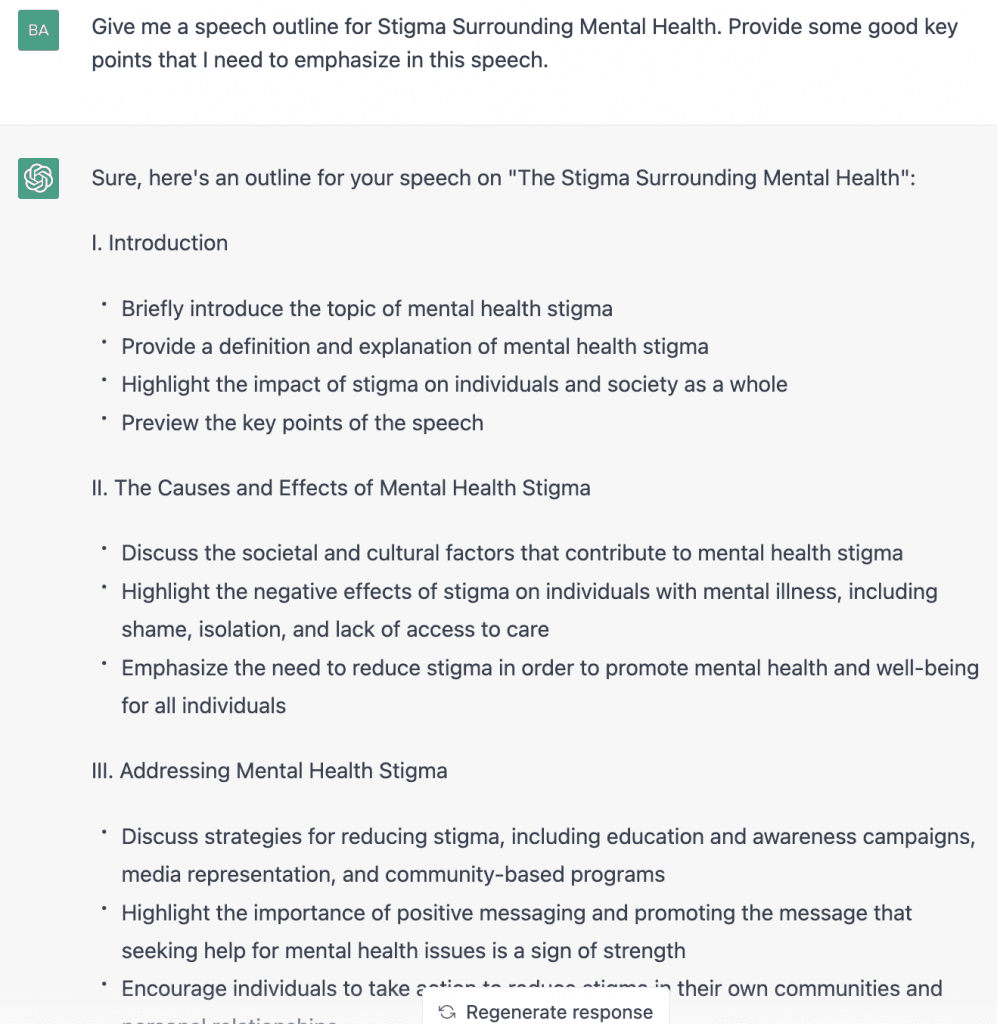
Step 6: Generate Content for Each Section
With the outline in place, ChatGPT can generate content for each section of your speech based on the details you’ve provided. ChatGPT will present you with a draft of your speech for each part, and you can review and modify the content as needed. This step will help you refine and personalize your speech to accurately reflect your ideas and voice.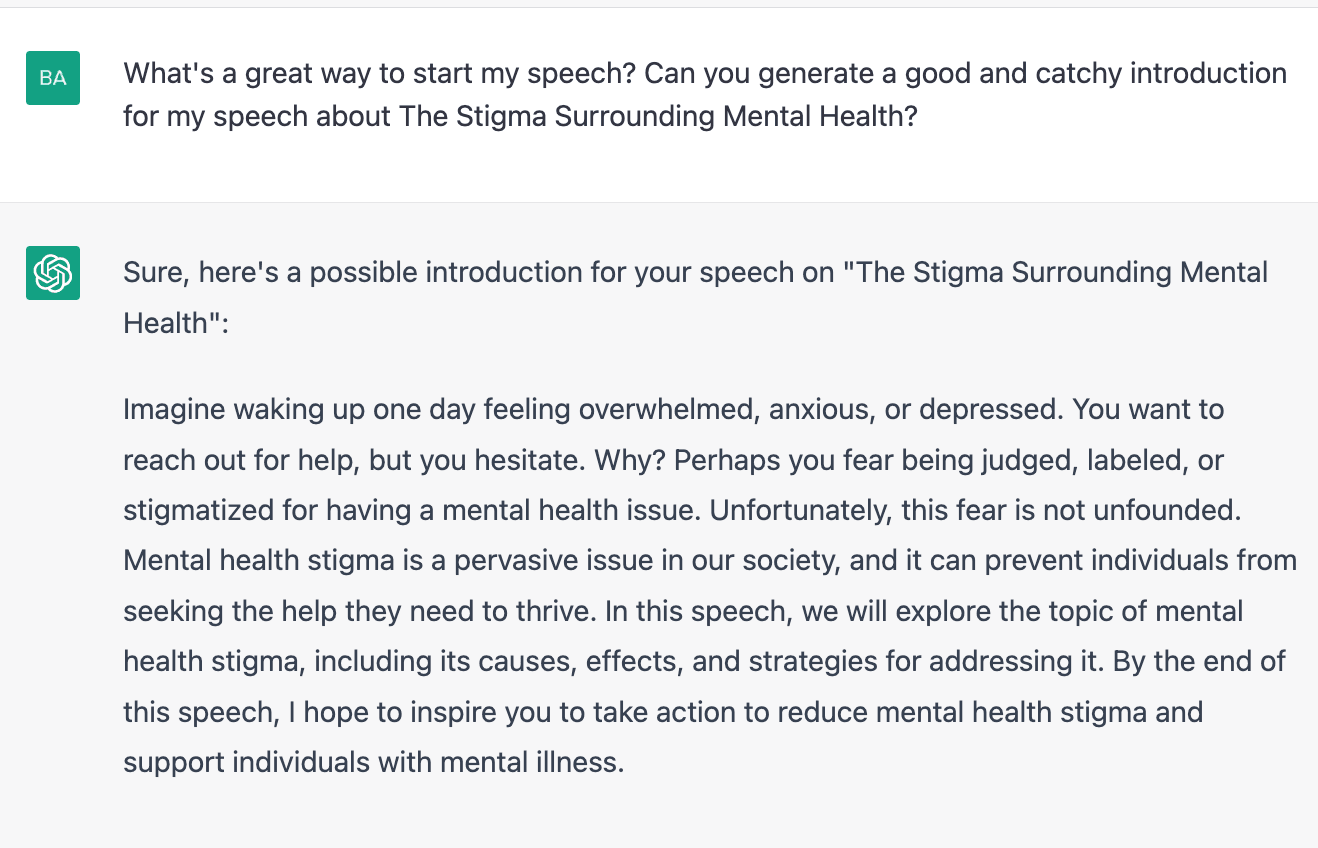 Create compelling and engaging content anytime with AI. ChatGPT is here. Write better emails, essays, articles, and more. - Start here!
Learn more
Create compelling and engaging content anytime with AI. ChatGPT is here. Write better emails, essays, articles, and more. - Start here!
Learn more
Step 7: Improve and Personalize
After ChatGPT has generated the speech based on your prompt, review the output. If you need to personalize the speech further, you can make refinements and adjustments to the draft generated by ChatGPT. This includes tweaking the language, structure, and tone to suit your preferences and the unique needs of your speech. You can regenerate another response by clicking on “Regenerate Response” at the bottom of the screen. You can also edit your prompt by clicking on the Edit button on the right side of your prompt and then clicking “Save and Submit” once you’re done. Here’s a follow-up question for the prompt on Step 2: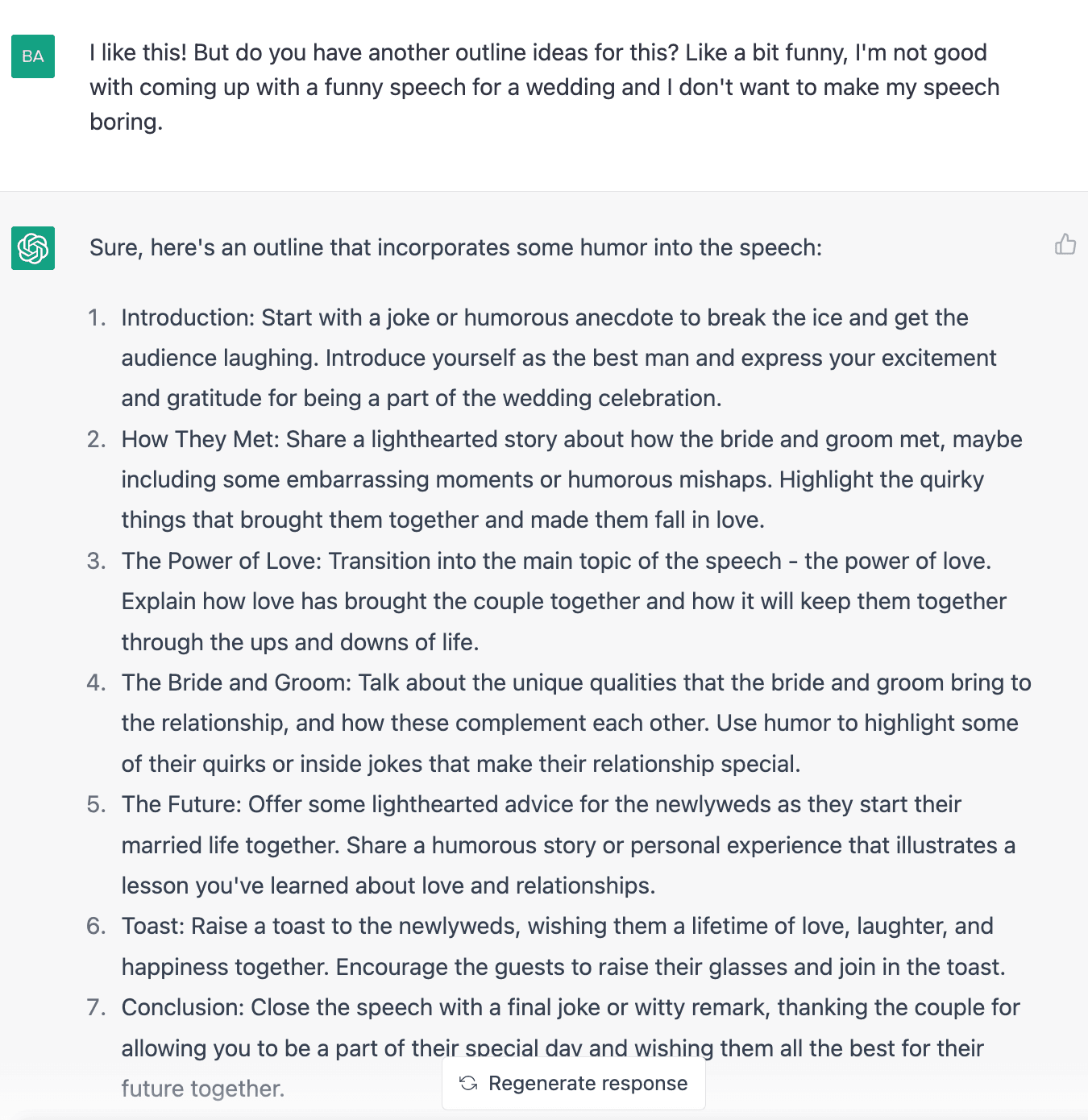
Step 8: Practice and Deliver the Speech
You can start practicing and delivering your speech after you made the necessary editing. Take the time to rehearse your speech several times, making any final tweaks or changes as necessary. When it comes time to deliver your speech, focus on delivering it with confidence and passion, engaging your audience every step of the way. You can save it on text-editing software like Notepad, Microsoft Word, or Google Docs. You may also write it down if you prefer that way.Takeaway
By using ChatGPT to write your speech, you can save time and create a speech that is tailored to your audience and purpose. Just remember to provide ChatGPT with all the necessary details and take the time to review and refine the output to ensure it meets your needs. Give ChatGPT a try today and take the first step toward delivering a memorable and impactful speech. Get ahead of the game and start using artificial intelligence with ChatGPT. Get answers, learn, and discover anytime. Start your AI journey. Learn moreUse ChatGPT to Make Effective Speeches and more!
Learn More Get Personalized, Real-time AI Support Anytime, Anywhere AI Writing Assistant AI Programming Coach AI Business Mentor and more!AI-PRO.org | Copyright 2023